



Get your projects organized in style
iProcrastinate is an organizational desktop tool for Macs.
If you've ever felt overwhelmed by the list of things you have to do or the sheer amount of homework your professors have assigned, iProcrastinate might be just the resource you've been looking for.Essentially a super advanced to-do list, iProcrastinate lets you categorize your tasks by color and due date to get your life on track in short order.
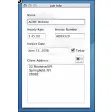
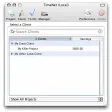
With a very sleek interface, iProcrastinate is easy on the eyes, no matter what screen you're looking at. There are two main screens in the app: the list screen and the calendar view.On the list screen, you can create and add details to list entries, as well as categorize them by a specific color, add a due date, and more.Once completed, they'll show up on the center screen in list form, in the order of their due date. iProcrastinate's calendar view lets you see all upcoming task deadlines on a month-to-month basis.
What's really great about iProcrastinate is you can also sync it with the app on iPhone, as well as via DropBox, making it easy to update or check the program no matter where you are or what you might be doing. The only real difficulty most users might experience is learning how to use all of the program's various features.This can be solved pretty quickly by simply playing around with iProcrastinate for a little bit to get the hang of it though. iProcrastinate is the ultimate organizational tool for Mac users who want to keep on top of everyday tasks.
Clicking the 'Download' button will take you to a page on the App Store where you can install the app.
Changes
Clicking the 'Download' button will take you to a page on the App Store where you can install the app.






















User reviews about iProcrastinate
by Anonymous
Great stuff!.
This is a great little program with loads of possibilities; just looked at a number of task management tools - this outdoes them: friendly user interface, simple and sleek. Keep new options coming. It is great that it is free, but I would be happy to pay if development keeps up.Again, great stuff. More